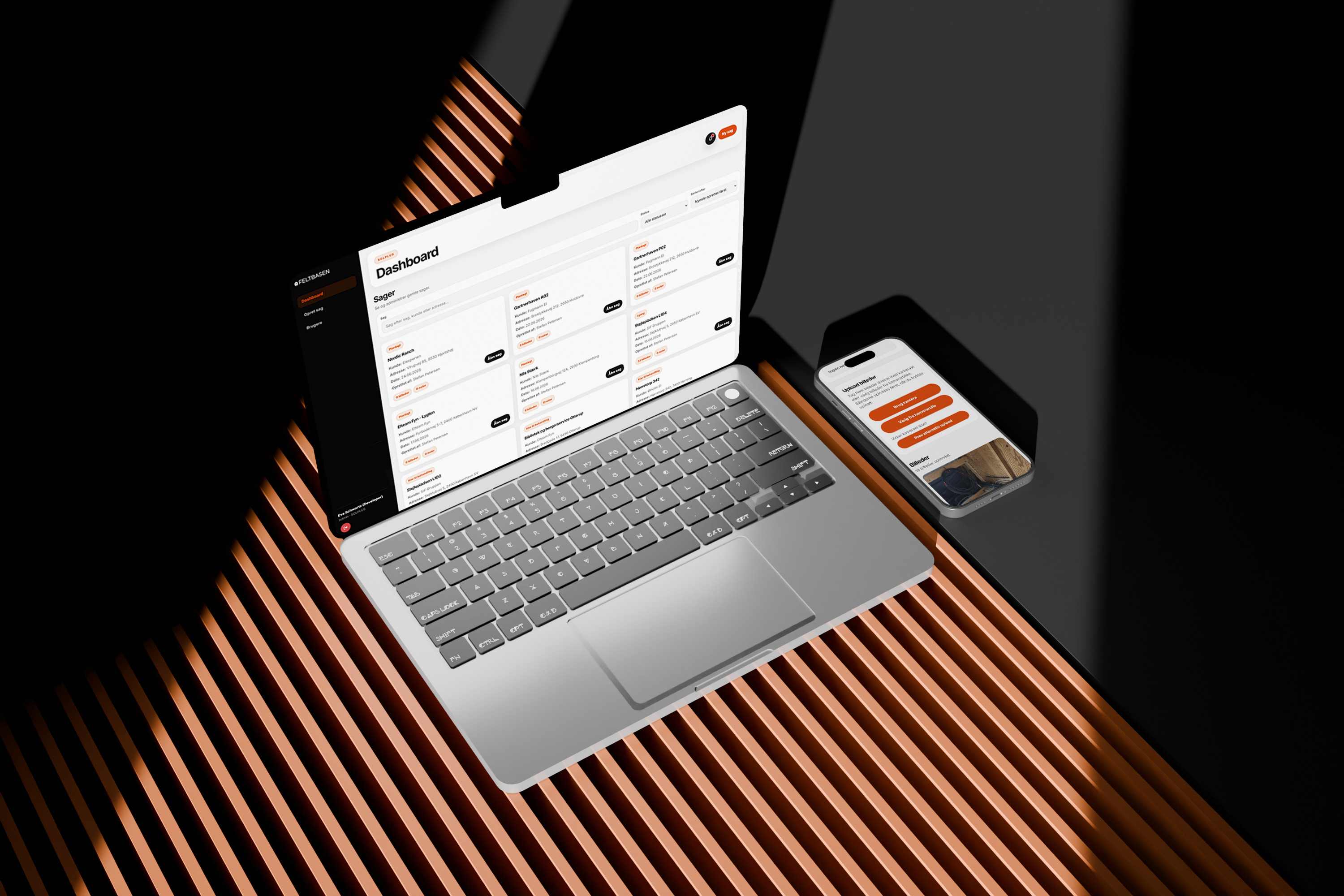






Feltbasen project preview

Feltbasen

Brand identity, Web design, Full-stack development & Server hosting

About the platform

Feltbasen is a field documentation platform built for construction and trade teams who need a faster and more structured way to manage cases, notes, images and quality documentation.

The platform was created after identifying a practical frustration: craftsmen often took quality-check photos on their phones, where the images ended up mixed with personal camera roll content and became difficult to find, organise or connect to the right case later.

Feltbasen makes it possible to create cases, capture photos directly from mobile or desktop, upload images to the right case, add field notes, manage case status and export a report for each individual case.

My Role

  • UX Researcher
  • Brand Designer
  • Product Designer
  • UX/UI Designer
  • Full-stack Developer
  • Server & Hosting Setup

Tools used

Figma
Figma
HTML
HTML
CSS
CSS
JavaScript
Java
Script
Node.js
Node.js
GitHub
GitHub

The Challenge

Field documentation was often spread across personal phones, camera rolls, messages and manual notes. This made it difficult for teams to keep track of what had been documented, which case it belonged to and whether the information was ready for office use or reporting.

The challenge was to design and build a simple platform that could be used by both office staff and people in the field. It had to feel fast, clear and mobile-friendly, while still supporting more structured workflows such as case creation, user handling, status changes, notes, image uploads and report exports.

The solution needed to reduce friction without becoming a heavy construction management system.

Problems

  • Quality-check photos were often stored in personal camera rolls instead of being connected to the correct case.
  • Field documentation could easily become scattered across phones, messages, folders and office communication.
  • Office staff needed a clearer overview of active cases, case status, uploaded images and missing documentation.
  • Workers in the field needed a fast way to capture and upload images directly from mobile without extra steps.
  • Notes and extra information needed to live on the case itself instead of being stored separately.
  • The platform needed user handling and organisation access without making the interface feel technical or complex.
  • Reports had to be generated from the information already stored in each case, without manual copy-paste work.

Design process

Research

Define

Structure

Build

Test

Turning field frustrations
into a structured workflow

Survey insights

87% Had experienced losing track of photos after documenting work on site

73% Found it frustrating to match images with the correct case after leaving the site

80% Wanted a faster way to add images directly to a case while in the field

67% Said that case status and missing documentation should be easier to see at a glance

Desk research insights

Mobile-first work Field teams need documentation tools that work quickly on the device they already carry

Less admin Digital documentation works best when it reduces manual sorting, naming and follow-up

Case-based structure Photos, notes and status become more useful when they are connected to one shared case

Shared visibility Office and field users need access to the same updated information

Report-ready data Documentation is more valuable when it can be exported without rebuilding the case manually

What the insights revealed

The research showed that the core problem was not only uploading images. It was the lack of structure around where field documentation belonged after it was captured.

Feltbasen had to make the case the centre of the workflow, so images, notes, status and reports could live in one shared place instead of being spread across phones, folders and messages.

Design goals

1

Make capture faster

Let users take and upload images directly from mobile or desktop without extra sorting.

2

Keep every case organised

Connect images, notes, status and customer information to the same case.

3

Support field and office work

Create an interface that works for quick mobile use and broader desktop overview.

4

Reduce manual admin

Make reports easier to export from the documentation already stored in the platform.

5

Keep the system simple

Avoid unnecessary complexity and focus on the workflows users actually need.

From field needs
to practical product decisions

01 Cases as the centre

Every image, note and status update is connected to a specific case, so documentation stays organised from the start.

02 Mobile camera flow

Users can capture images directly in the browser and upload them to the active case without leaving the platform.

03 Clear status overview

Case cards and filters make it easier to scan what is new, planned, in progress or ready for the next step.

04 Report-ready structure

The system stores case information, notes and images in a way that supports quick report export.

Designing the platform around real field workflows

The interface was designed around the core actions users needed most: creating cases, capturing documentation, adding notes, changing status and exporting reports.

Instead of building a heavy construction management system, the focus was on a clean workflow that could be understood quickly by both office staff and people working in the field.

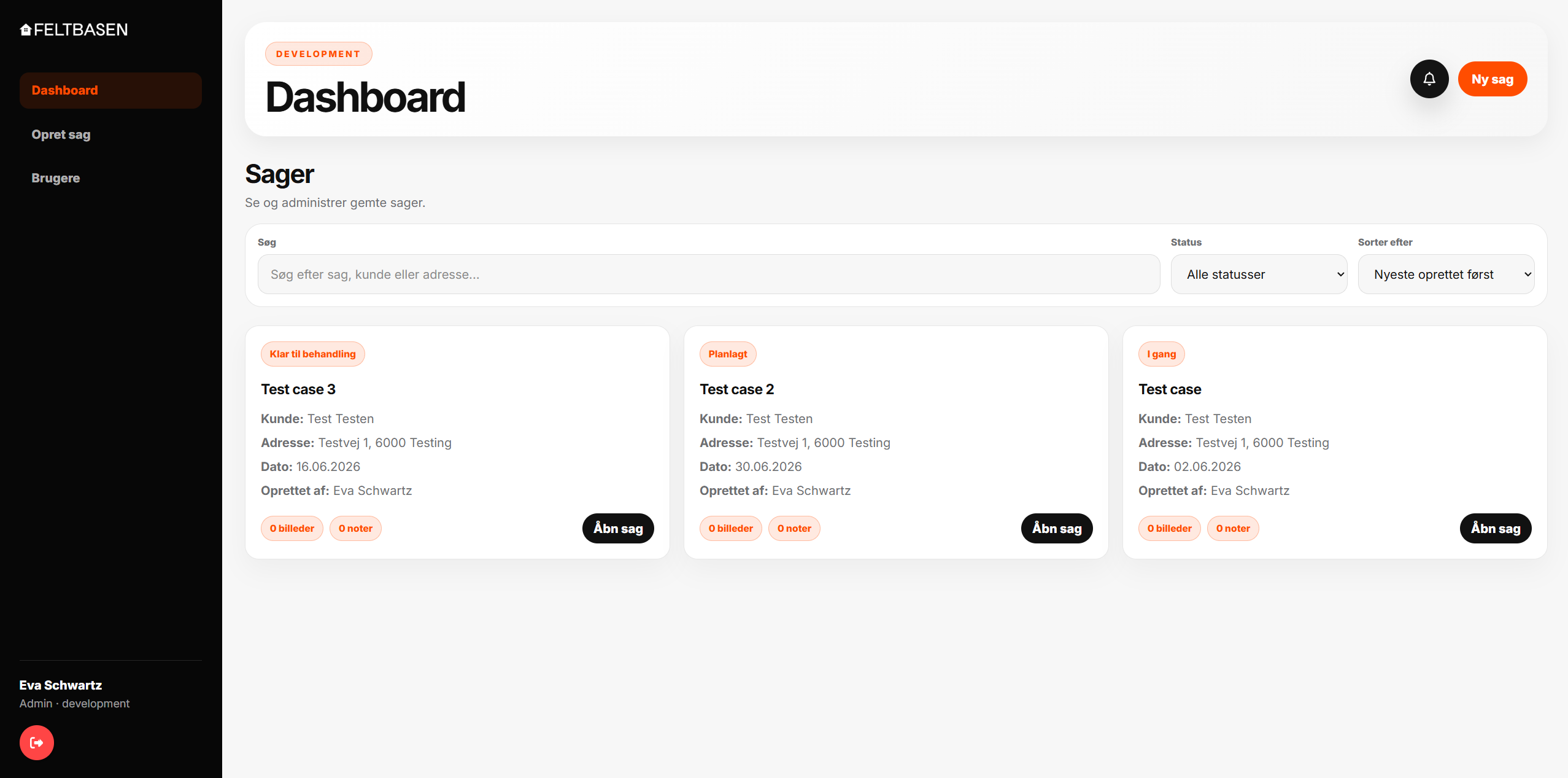
01

Case overview

A dashboard built around search, status filtering and quick access to active cases.

Feltbasen dashboard interface
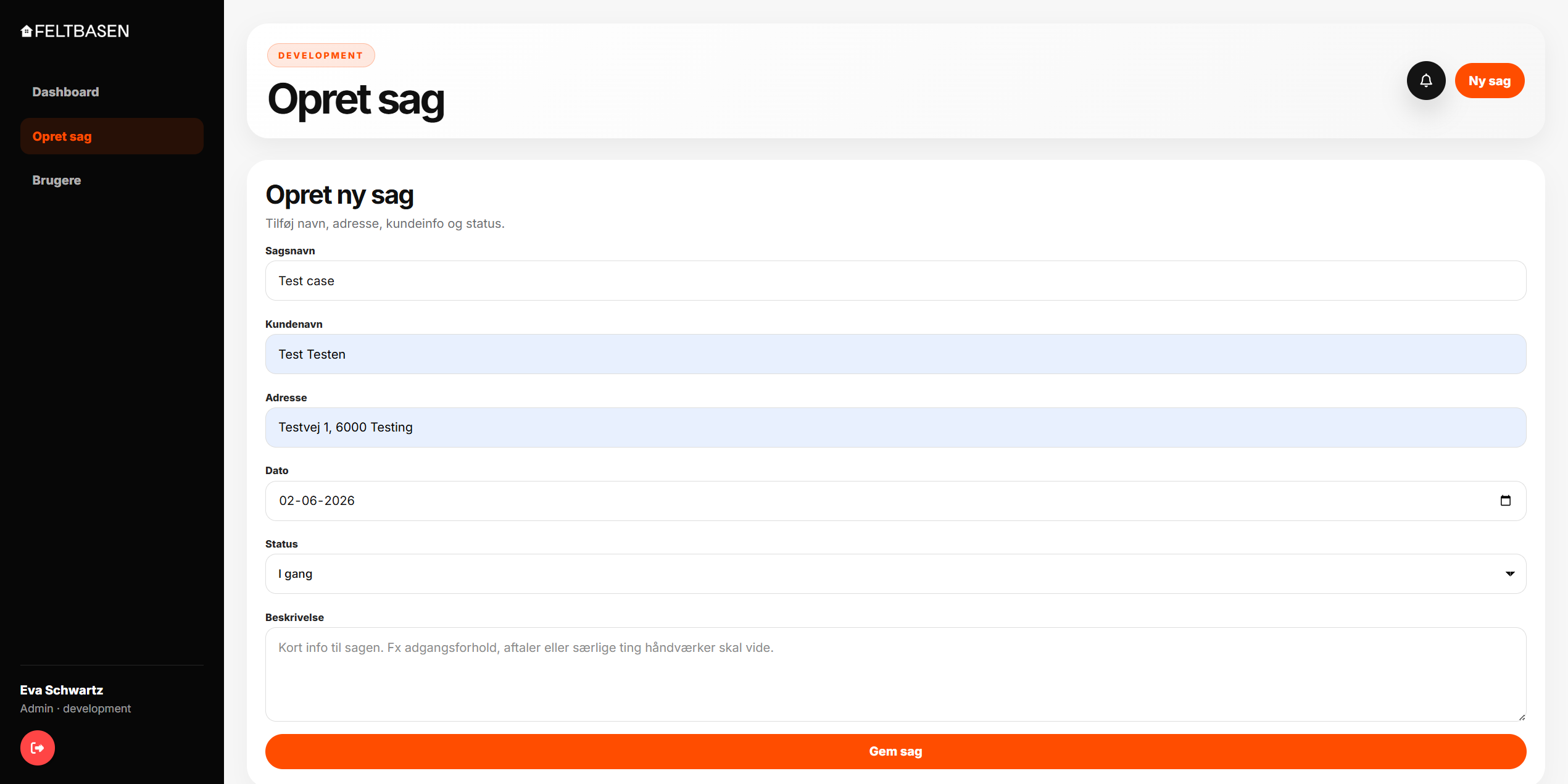
02

Create case

A simple form flow for adding case details, customer information, address, date, status and description.

Feltbasen create case interface
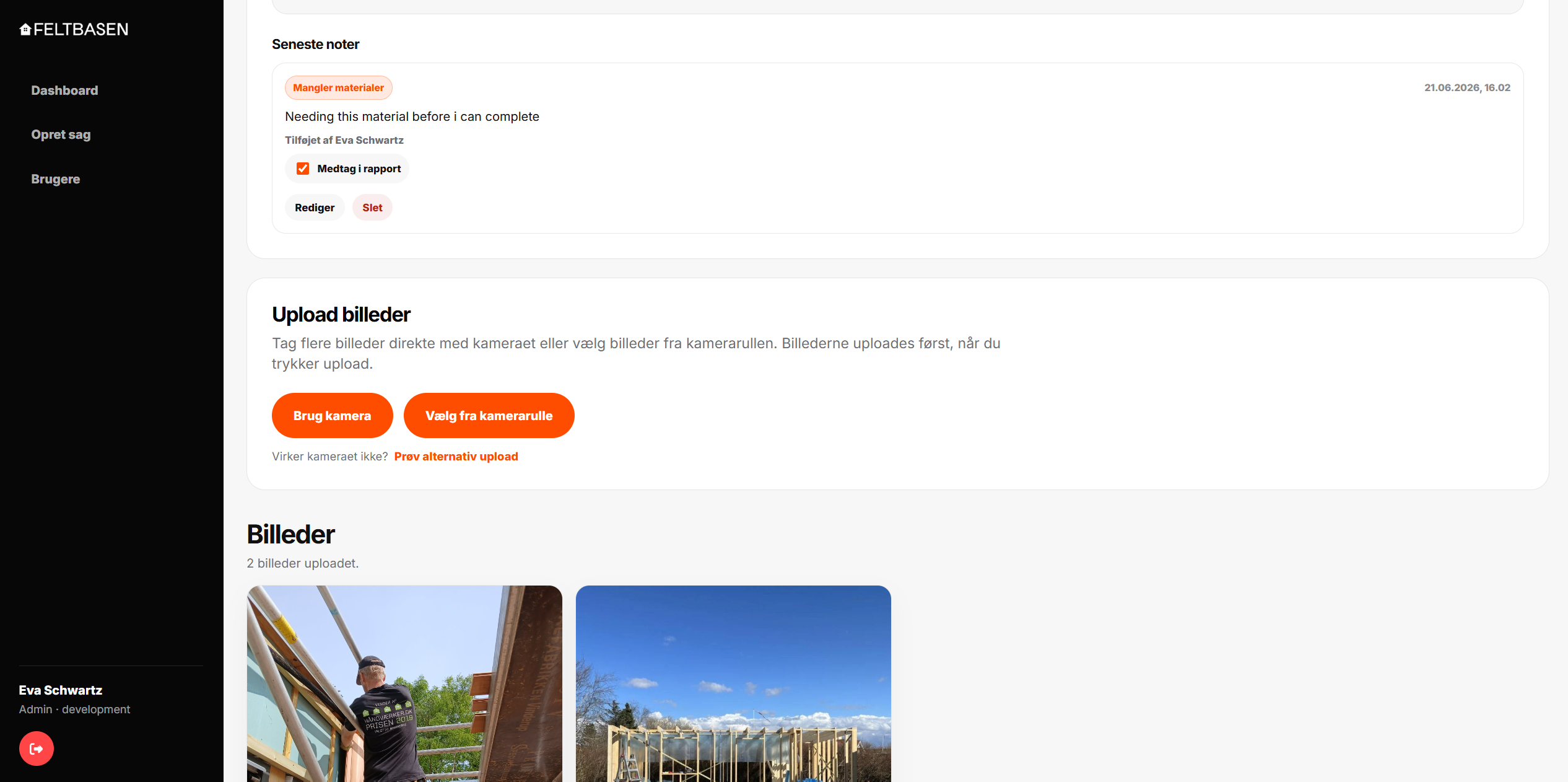
03

Field documentation

Notes and image uploads live directly on the case, keeping field documentation connected to the right project.

Feltbasen case documentation interface
Core platform features

One case. Everything connected.

Feltbasen case

Active case

Images, notes, status and reports stay connected to the same case.

01

Case management

Create and manage cases with customer details, address, date and status.

02

Image documentation

Upload photos directly to the right case from mobile or desktop.

03

Field notes

Add notes from the field so important context stays attached to the case.

04

Status workflow

Move cases through clear stages so everyone shares the same overview.

05

Report export

Generate a report from the case content without rebuilding it manually.

Testing and iteration

Tested with a real company, refined through actual use

One-month pilot test

A company was invited to test Feltbasen for one month to see how the platform worked in a real workflow with cases, users, notes, images and report exports.

The goal was to identify what felt clear, what created friction and which features were needed before the platform could support everyday field documentation more reliably.

01

User permissions

The pilot showed a need for admins to control what different users could and could not access inside the platform.

02

Email notifications

Users wanted automatic emails when new users were created, when case status changed and when someone created their own account.

03

Flexible report export

The test revealed a need to choose which notes should be included or excluded when exporting a case report.

04

What changed after testing

These updates were built into the platform and reviewed against the main product goal: keeping Feltbasen simple, useful and easy to understand for both office users and people working in the field.

See the live site